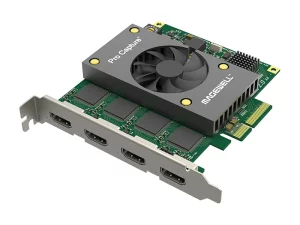
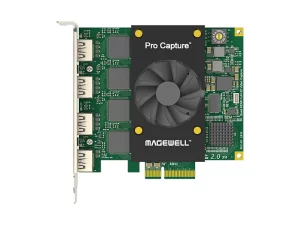
MAGEWELL USB Capture HDMI Plus One-channel 2K capture device
Zapytaj o produkt Wyślij link do produktu
- Opis
- Instrukcja #1
- Instrukcja #2
- Skrócona instrukcja
- Short FAQs
- Zapytaj o produkt
- Wyślij link do produktu
Opis
One-channel 2K capture device
Part number: 32040
SKU: 320400000
• Capture HDMI + embedded audio
• Loop-through HDMI signal
• Audio input via mic
• Extract HDMI embedded audio output via headphones
• Support 4Kp60 4:2:0 input. Capture from the newest game consoles such as PS4 Pro and XBOX One S. Automatically down scale to 2K for recording or streaming
Input Features:
• 297MHz HDMI receiver, max input & loop through video:
– 4096×2160 30fps 4:4:4/4:2:2
– 4096×2160 60fps 4:2:0
• Custom EDID
• Input RGB/YUV 4:4:4 8/10/12-bit, YUY 4:2:2 12-bit, YUV 4:2:0 8/10/12-bit
• Up to 8-channel 24-bit HDMI-embedded audio at 192kHz
• 2-channel IEC60958 audio streams via 3.5mm microphone interface
• HDMI interfaces: HDMI 1.4, DVI-D
Process and Capture Features:
• Video processing pipelines with ~160M pixels/s processing bandwidth
• Capture videos up to 2048×2160, frame rates up to 120fps. Outputs include (actual capture frame rate can be limited
by the USB bandwidth and internal working frequency.):
– 1920x1080p 23.98/24/25/29.97/30/50/59.94/60
– 1280x720p 23.98/24/25/29.97/30/50/59.94/60/100/119.88/120
– 720x576p25
– 720x480p30
• Output YUYV/UYVY/RGB24/RGB32 videos
• Support video cropping, up/down scaling, de-interlacing, aspect ratio conversion, color format conversion, frame rate
conversion, flip and mirror
• Output audio of HDMI signal or hosting machine (the computer) via 3.5 mm headphone jack
• Up to 2-channel IEC60958 audio streams
Included Software:
• USB Capture Utility enables users to easily check and set the capture-related parameters, upgrade firmware of the
capture device and export info needed for troubleshooting
SDK & APIs:
• The MWCapture SDK provides functions including signal status extraction, capture configuration and real-time audio &
video capture, etc
• Windows DirectShow/Wave API/DirectSound/WASAPI
• Linux V4L2/ALSA
• macOS AVCaptureSession/AudioUnit
Output Interface:
• USB 3.0
– compatible with USB 2.0
– compatible with USB 3.1 Gen 1
Compatible Software:
• Zoom Rooms
• Microsoft Teams
• Skype for Business
• Google Hangouts
• GoToMeeting
• Gstreamer
• VLC
• OBS Studio
• XSplit
• QuickTime Player
• Any other DirectShow/V4L2/AVCaptureSession based encoding or streaming software
Recommended OS:
• Windows 7/8/8.1/10/11/Server 2008/Server 2008 R2/Server 2012/Server 2016 (x86 & x64) and above
• Linux x86, x64 & ARM architecture, with 2.6.35 and above
• Mac OS X 10.9/macOS 10.12 and above
• Chrome OS
LED Indicator:
• Status LEDs indicate the working state of the device:
– Pulsing slowly: input signal unlocked
– On: input signal locked
– Double blinks: memory abnormal or FPGA configuration failed
– Off: firmware or power supply abnormal
Form Factor:
• 3.86 inch (L) x 2.24 inch (W) x 0.67 inch (H) (98.1mm x 56.8mm x 17mm)
Accessories:
• 1 × USB 3.0 cable
Power Consumption:
• 5V max current: ~900 mA
• Max power consumption: ~4.5 W
Working Environment:
• Operating temperature: 0 to 45 deg C
• Storage temperature: -20 to 70 deg C
• Relative Humidity: 5% to 90% non-condensing
Instrukcja #1
 Loading...

 Reload document
  Open in new tab
 Instrukcja #2
Loading...
Skrócona instrukcja
Loading...
Short FAQs
Loading...